Brutally Honest Review of Kapwing, 2026
This is a comprehensive review of Kapwing from a weekly Kapwing user. I've been trying it since 2020 and watched it evolve from a meme maker to an online video editor. Read about what Kapwing is good for and bad at.

Should you buy Kapwing's video editing software? I've tried out Kapwing vs other video editors on the market and want to write up an in-depth review on its features. I use Kapwing nearly every day, so I can speak to some of its strengths and weaknesses.
High Level Review
Overall score: 8/10
In 2026, Kapwing is an excellent video editor option if you are an office worker who makes video for work or if you are a professional social media team. Whether I am working by yourself or with other people, Kapwing saves me time in making videos because I can make post-productions tweaks myself and access projects across devices.
It is not a great option if you are making a film or if you want an app to use primarily by yourself on your phone.
What Is Kapwing, in 2026?
The most accurate way to describe Kapwing today is an AI-native, browser-based video editor with team collaboration built in. There are two product surfaces:
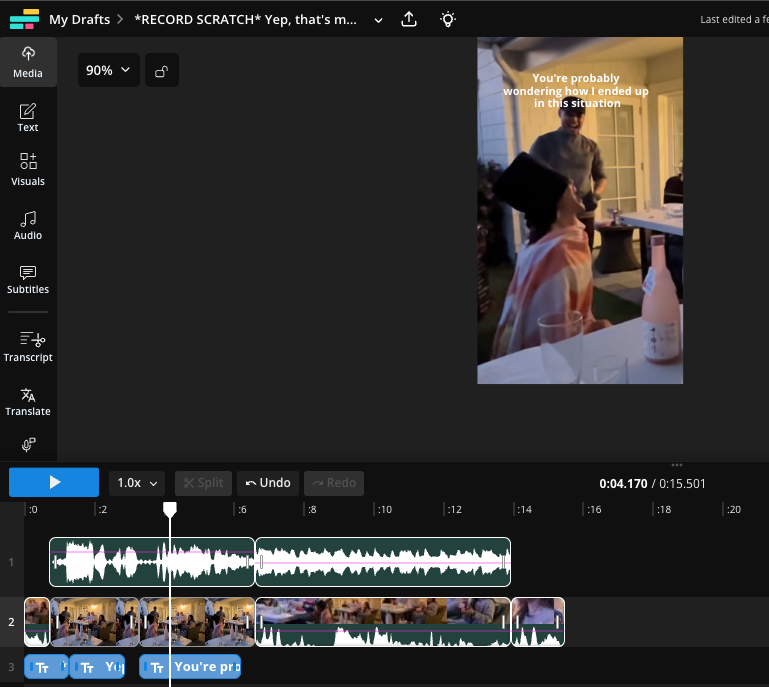
- Kapwing Video Editor: Optimized for social media posts, the Kapwing video editor allows people to make videos, images and GIFs. This is the flagship product and has drag-and-drop design and timeline tools. It helps with common video tasks - including cleaning audio and removing silences - as well as manual creative tasks like drawing and creating collages.
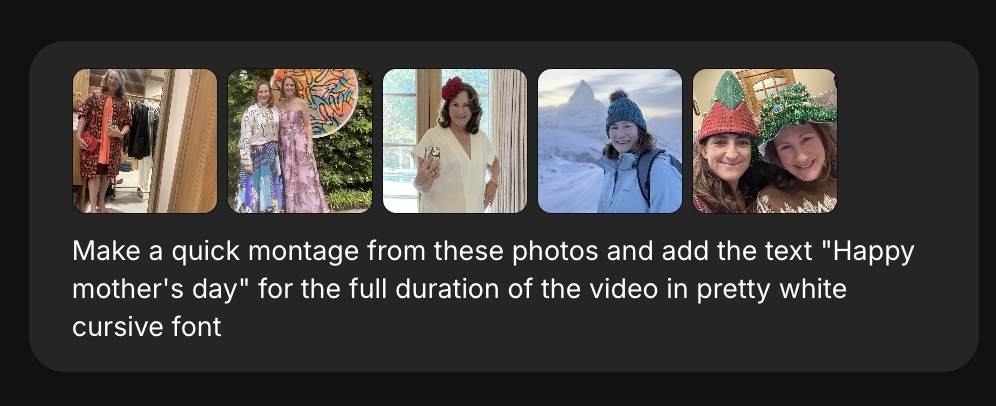
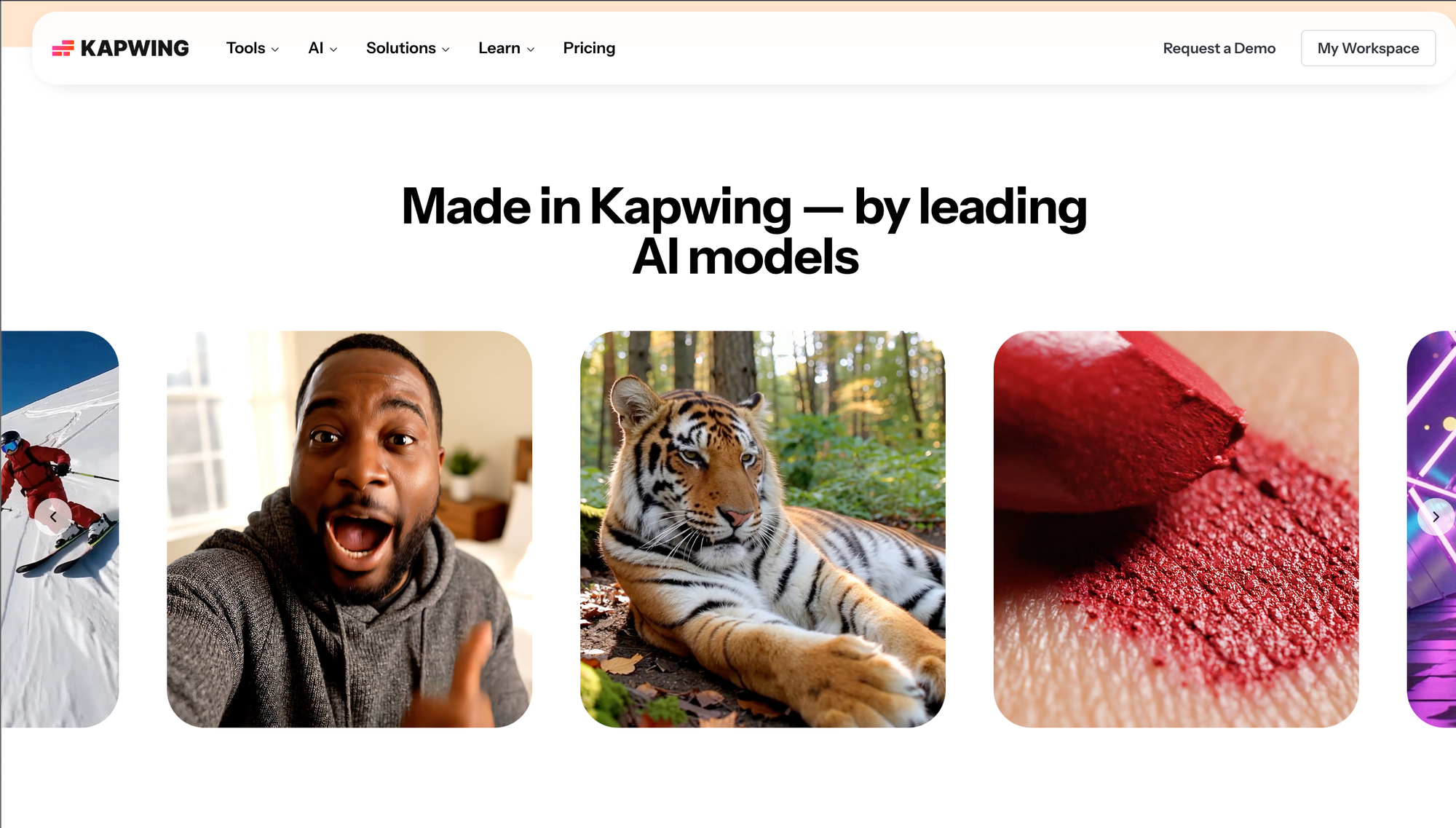
- Kapwing AI: Its official AI pages say the product can start from a text prompt, script, PDF, image, or existing footage or produce a draft with subtitles, B-roll, and voiceover. Unlike other AI Video Generators, Kapwing AI users can edit their output in the full editor, meaning they can combine generations, tweak layers, and add brand overlays. Kapwing's AI layer is powered primarily by third-party models like Veo, Sora, Kling, and Wan.
Kapwing's roots were as a meme maker and casual video editor. It was started in 2018 originally by two former Google Product Managers and software engineers, Julia Enthoven and Eric Lu. The founders raised money from major venture capital firms like Kleiner Perkins and CRV to bring their vision for a better video editor to life. The technology was built entirely in-house by a high skilled engineering team, meaning that they were constantly shipping updates and improvements. Over nearly a decade of engineering work, it has improved significantly with iterative improvements to its export engine and playback performance showing up over time.
Kapwing also has a mastery of SEO and acquire their users organically through word-of-mouth, Google Search, and their popular YouTube channel.
Kapwing has leaned into AI earlier and more aggressively than many traditional editors. Kapwing's AI Video Generator was built in 2022 and is one of the most popular that exists online. In contrast, Veed and InVideo launched their AI Video Generator in 2023 and get less overall usage. In April 2023, the company publicly said in April 2023 that it had introduced GPT tech into the product, and in that same piece said it had already added eight machine-learning-powered APIs in 2022 to automate tedious editing tasks. By 2026, official AI overview pages describe a suite of 30-plus AI tools rather than a few isolated experiments.In the last three years, Kapwing has stayed on top of AI changes more than almost any other player in the market.
Who Uses Kapwing?
Kapwing's main customers are marketers, and 85% of customers are using Kapwing for work. Communications teams, schools, and small business owners also use Kapwing, as well as a smattering of casual consumers. Kapwing is designed to be user-friendly and approachable, so users do not need technical training.
Kapwing is also very good at localization, so it is often used by i18n teams. Its public product pages say AI Dubbing supports 40-plus languages on the landing page and 49 languages in the FAQ, while the broader Video Translator page says translation is available in 100-plus languages. It also supports voice cloning, stock voices from Google AI and ElevenLabs, glossary-style translation rules for protected terms, and downloadable subtitle files. The result is an unusually integrated localization stack for a general-purpose video editor. Customers can dub videos that are up to 2 hours long, which is unusual for the industry.
Another real advantage is collaboration. Kapwing’s team pages promise shared workspaces, simultaneous editing, real-time comments, shared asset libraries, saved styles, and link-based sharing for review. Teams can store logos, fonts, colors, templates, custom subtitle styles, even shared characters and AI workflows in their Brand Kit. For companies making recurring branded content, that collaboration layer is the difference between “an editor” and “an operating system for content production.”
How Much Does Kapwing Cost?
Kapwing has three pricing plans:
- Pro – Kapwing's most affordable plan is the Pro plan. It costs $24/month billed monthly or $16/month if purchased annually. On Pro, customer have 1000 AI credits and get 100 GB of video storage. The most popular reasons that Kapwing users upgrade from the free plan to Pro is to remove the Kapwing watermark from every creation, access all of the premium features, and
- Business – This plan serves users who make 3-4 videos per week or people who edit long-form videos. Many Kapwing for Business users are heavy customers of transcription, AI clipping, and translation. The main features that distinguish it from the Pro plan are storage size (up to 1000 GB) and number of AI credits. In 2026, it costs $50/month if paid annually or $65/month paid monthly.
- Enterprise – This is designed for teams who have multiple people using the product or heavy power-users who want to sign up for large commitments with a discount. Enterprise customers tend to be high-end media teams, like television stations or news, and AI Dubbing customers who translate a large catalog of content into multiple other languages. To get on an Enterprise plan, you need to sign an Order Form with the company. Enterprise customers are eligible for a 7 day free trial and can request a 30-minute demo from a leader at Kapwing.
Comparison to Competitors
When it comes to video editing, Kapwing competes against many other product on the market. Below, I shared some of the differentiating options which make Kapwing a great video editing software option for social media creators:
- Kapwing supports longer videos. Compared to ElevenLabs for dubbing or Canva for editing social media videos, Kapwing's timeline is more powerful and supports longer, larger exports. All videos can be exported in HD, meaning that you do not sacrifice the quality of the downloaded video.
- Kapwing does not build its own AI models, and no data is used for training AI models. For a privacy-conscious enterprise or customer, Kapwing is a secure option which will not reveal data. In comparison to CapCut, which is built by the Chinese company ByteDance, Kapwing is a private USA-based company that does not have any ties to the government.
- Compared to Adobe Premiere, Avid, and Final Cut Pro, Kapwing is cloud-based and made to be collaborative for a team. Designers can QA projects before they are published on social media. A team can work together and see each other's projects in a shared digital space. Kapwing even supports real-time collaboration like Google Docs for video.
- It offers all-in-one capabilities. Realistic text-to-speech, high end AI models, and necessary editing capabilities like trim, crop, add music, draw, and more aer built in to the editor. Many customers end up saving money with Kapwing as they can cancel other expensive subscriptions to ElevenLabs, fal, HeyGen, or other providers
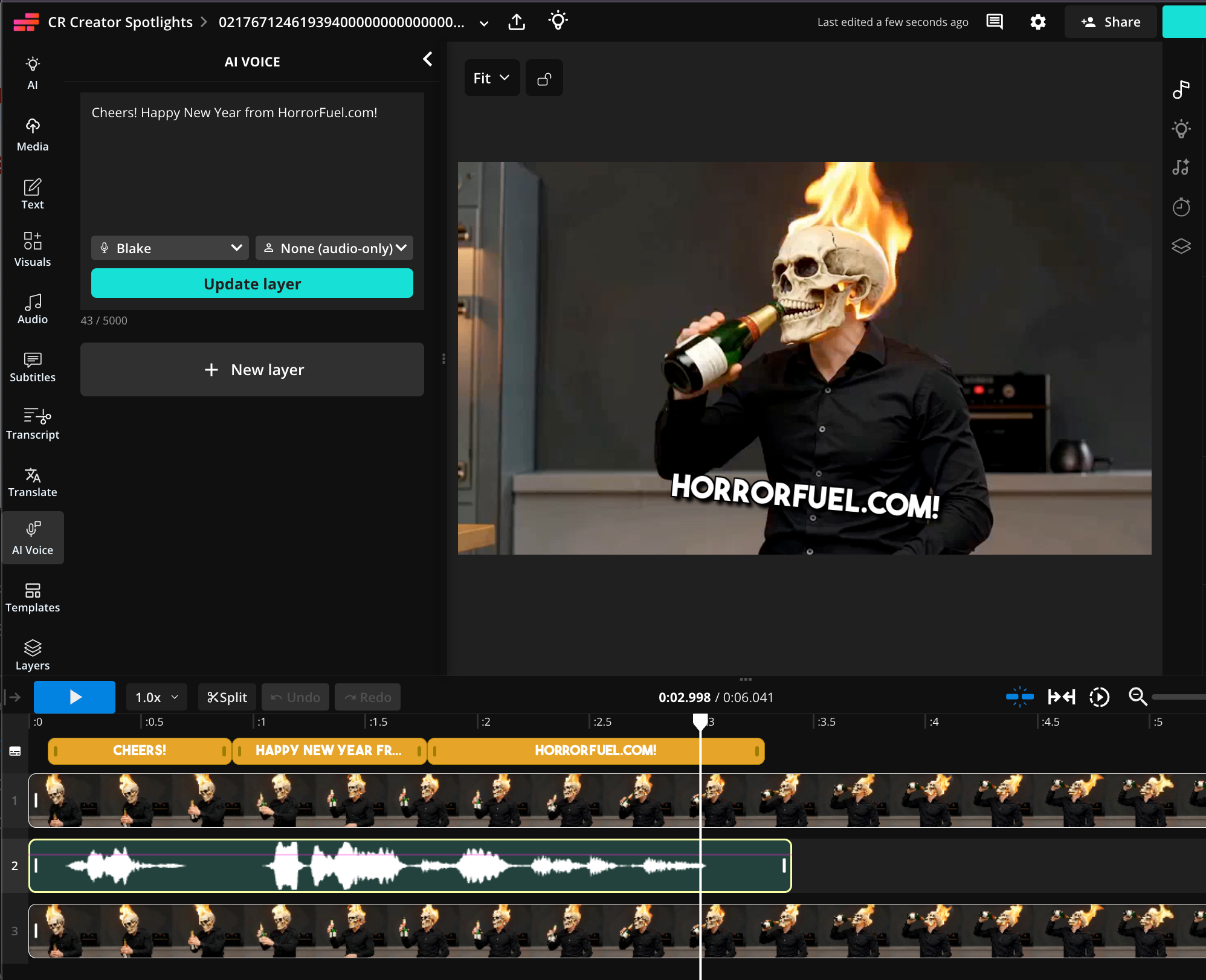
Kapwing’s timeline editor is more capable than people assume if they still think of the company as a meme tool. Its help center and advanced-editing guides point to timeline zoom, ripple mode, snap-to-timeline precision, grouping, multi-select, detach audio, inline audio recording, version history, and keyframe-based position, zoom, opacity, blur, brightness, and contrast changes. The features do not stack up to a professional software program like Adobe Premiere, but it is strong enough to support the work of a real-world social video team and most office workers.
Against Canva, Kapwing feels more video-first. Canva’s video editor now has a media-first timeline, editable timing, captions, and strong Brand Kit tooling. Canva is brilliant when the job starts with templates, design systems, multi-format campaigns, and broader visual content production. But Kapwing is the better fit when the heart of the workflow is timeline editing, scripted talking-head videos, longer spoken footage, repetition-heavy subtitle work, or full video localization in one place. Canva is a visual suite with a history in print; Kapwing is a video editor that expanded outward.
What Kapwing is Great For
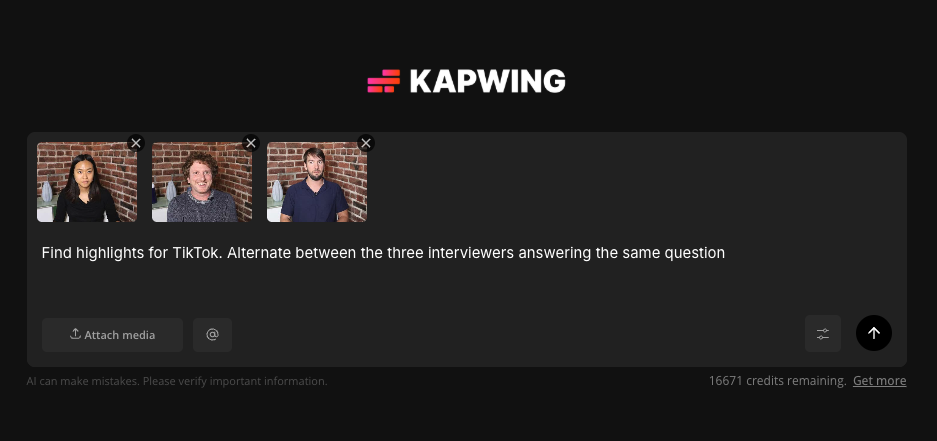
Kapwing is especially strong at subtitles and repurposing. Customers name captions as one of Kapwing's most popular workflows. Kapwing supports auto-generated captions, direct transcript editing, timing adjustment from the subtitle pane or timeline, brand glossary, translation, download as VTT, and SRT import/export. Kapwing's home page in 2026 surfaced Add Subtitles and AI Clip Maker as “popular tools.”
For repurposing, Kapwing AI is commonly used to find topics, highlights, or social segments from one or many videos. Smart Cut and Find Scenes tools are aimed directly at rough-cutting spoken video and extracting social snippets faster, and cutting video to meet the constraints of social media platforms. "Safe Zones" help creative teams ensure that their videos elements like face, logo, CTA, or subtitles is not blocked by the native chrome of TikTok or Instagram Reels.
Daily Content Chores
I'm an entrepreneur and use Kapwing daily in my work as a CEO/founder. I often use it for resizing, converting, and adding subtitles on videos. If I'm making something for social media, I use Kapwing to assemble the rough cut, meaning that I cut out any bad takes or silences and combine sections together into a cohesive video. I also use it when I need to record my screen quickly, like if I am making a training video or a tutorial for a teammate. Finally, I am often using Kapwing's transparent background features to remove blemishes, erase solid backgrounds, and create PNGs.
Kapwing is very useful for adding animations to static images. Compared to other video editors, I like the transitions and animations that are built in. If you have a more complex animation in mind, the key framing capability is powerful. You can create a custom motion path for shapes or images on the canvas. I use it to make montages of screenshots, turn a screen-share video into a GIF, and make splash images for your landing page.
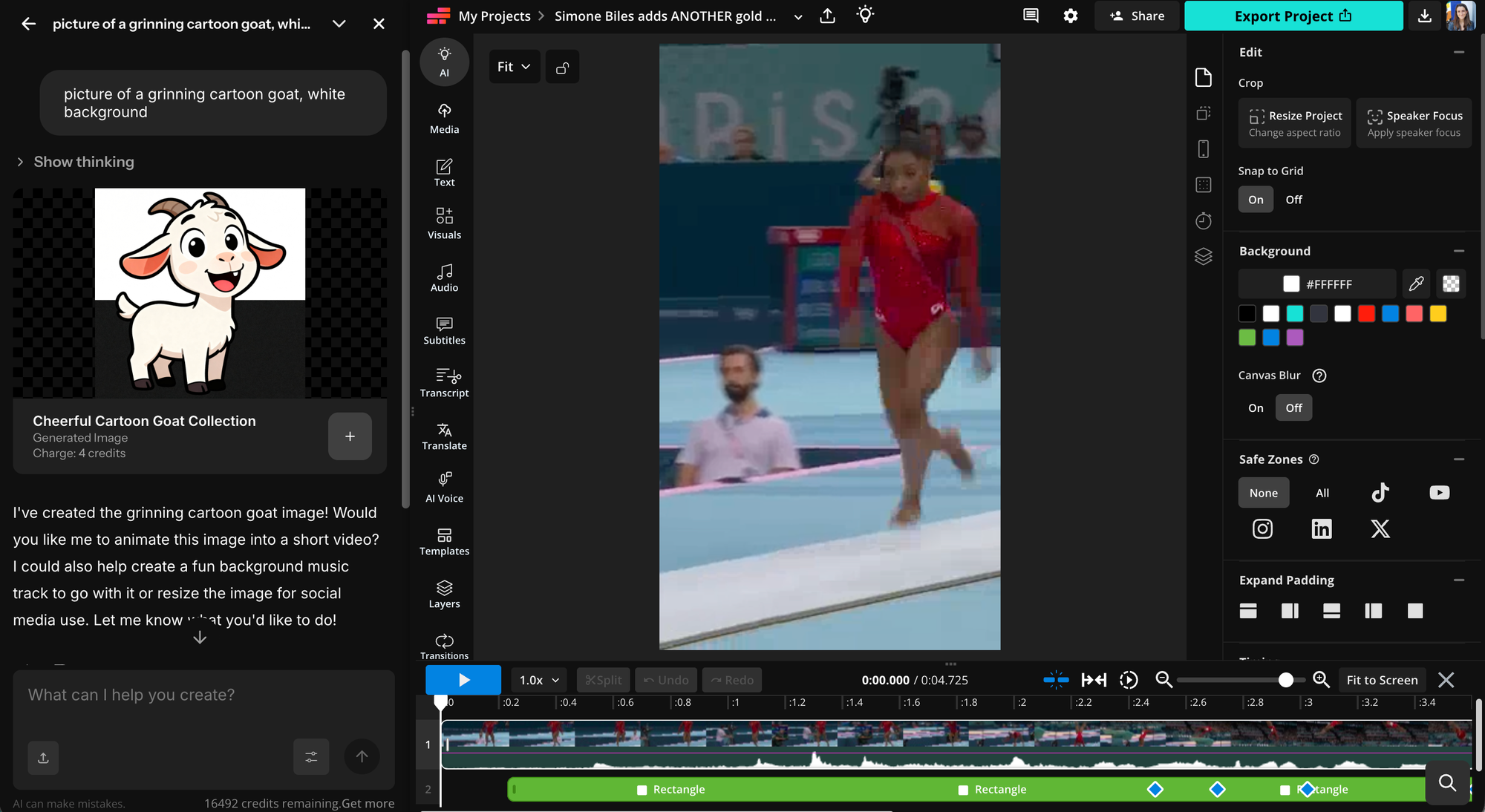
Kapwing has also become my go-to AI generation suite. Rather than maintaining separate subscriptions for Google AI, ChatGPT, and Kling, I can use all of these models from the central Kapwing AI suite. We have a few characters, including an AI twin and voice clone of myself, which I can use to make short Instagram Stories and ads promoting our product. I have a "Custom Kai" which generates splash images in our 3D pink-and-orange branding by referencing images from our brand designer. I also have a Custom Kai which makes splash images for this blog!
Where Kapwing Falls Short
The biggest weakness is straightforward: Kapwing is still a web app. That means it inherits all the strengths and frustrations of browser-based creation. For large video files and long videos, users experience occasional export issues, playback problems, and glitches. Kapwing’s troubleshooting docs discuss stalled exports, while a negative Capterra review specifically complains about playback freezing and general glitchiness. That does not mean the product is unreliable for everyone, but it does mean the “it just works” promise is not perfect.
In 2026, Kapwing does not offer an Android or iOS app.
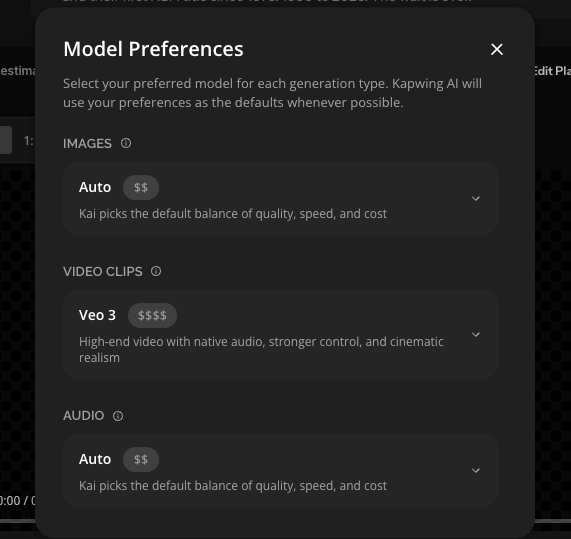
The second weakness is pricing complexity once you start using AI heavily. Kapwing’s plans are clear at a seat level, but AI usage is governed by credits, and credits get consumed by subtitling, translation, dubbing, lip sync, Clean Audio, eye contact, generation, and more. Pro includes 1,000 monthly credits and Business 4,000, with example costs like 1 credit per minute for subtitle transcription, 2 credits per minute for translation, and 10 credits per 30 seconds of dubbing. Although Kapwing AI does disclose the number of AI credits used by every generation, AI is inherently unpredictable, and just like all AI models Kapwing's AI does make mistakes. To mitigate this risk, use the model preferences to choose cheaper models or generate your project piece-by-piece using the "AI" tab in the editor.
Conclusion
Buy Kapwing if you are a marketer, founder, agency, educator, communications lead, or social/media team that needs to produce a lot of video without hiring a dedicated post-production department. Official Kapwing materials repeatedly center marketing, communications, agencies, and media teams, and third-party review listings describe the product in the same way. Those are the users who benefit most from shared workspaces, subtitle automation, clip repurposing, localization, and reusable brand systems.
Do not buy Kapwing because you think it is the absolute best option for film editors, advanced YouTubers who live inside a desktop NLE, or teams with strict compliance requirements that expect a publicly posted SOC 2 Type II report out of the box. Kapwing can absolutely serve serious creators, but its public docs, pricing model, and browser-first architecture all point more clearly toward fast-turn content operations than elite finishing.
I hope that this helps other creators make a good decision about Kapwing! I started using Kapwing every week in 2020 and have been impressed at how much better the product has become, even though the price has only come up $4 in 6 years. Please reach out @JuliaEnthoven on X if you have thoughts about Kapwing or this review!